LinkBack URL
 About LinkBacks
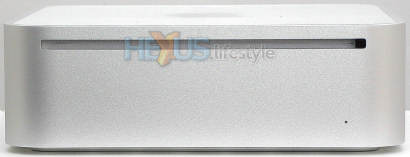
There's something almost sinfully attractive about Apple's ultra-small Mac mini. This in-depth review - covering Mac OS X and Win XP - makes clear how the mini can indulge your fantasies.
Read all about it!
In this HEXUS.lifestyle review.

There's something almost sinfully attractive about Apple's ultra-small Mac mini. This in-depth review - covering Mac OS X and Win XP - makes clear how the mini can indulge your fantasies.
Read all about it!
In this HEXUS.lifestyle review.
I have to say I love the Mac Mini.. But whether I could spend so much on one is another matter.
Great review though guys, thorough and interesting!
Originally Posted by DELETED

Good review!
For me the mac mini is a great design but you're definitely paying a premium for a computer thats not really a media centre and is an expensive, but average performing computer once you've bought all the bits.
Having actually used the basic mac mini with no upgrades for a brief period i can say you definitely want the core duo and 1GB ram as standard. For media centre use you'd also want a larger hdd. Once you've then added the keyboard and mighty mouse combo you're looking at a total price of £693 before you've even added a TV tuner. For that sort of money you can build a decent HTPC that IMO is more suited to the 'media centre' job.
If you're not using the mini as a media centre but as a computer instead then you would also need to factor in the cost of a monitor (£200) so then the total would increase to £893. It's at this point IMO its worth getting the Macbook instead (what i did). Not only is the Macbook faster, the added portability is a massive bonus.
Anyone have details on where you can find out how to install MCE 2005 on a mac mini?
answered my own question!
found this on another forum
Bob Crabtree adds - just for the record, this came from the Macrumors forum.Here's a quick how to install Windows MCE OEM 2005 using Bootcamp...
1) Attach a external CD or DVD drive to your computer with disc 2 of MCE 2005 inserted in it, or copy the contents of disc 2 MCE 2005 to a external USB drive. Might work with a firewire drive too.
2) Follow Apples Boot Camp instuctions to install XP.
3) During the XP install process when it asks for disc 2, hit OK, and change the path to your external drive. In my case I just changed the drive letter to D: . Note if you try to browse to the external drive it will not be seen but if you just change the path it works.
Thats it, complete the install and install Boot camp drivers, in my case I ended up with a Mac Mini running MCE, which I think is just perfect for using as a media center.
If you have the MCE remote and sensor they work just fine too.
JayMak
Colin - Nice one!!
Thanks!
Bob
frumpet,
Thanks for the kind words and the overview of buying options!
Have to say, though, that, the iMac might actually be the better bet for media-centre-type use, rather than a portable Mac (unless, of course, you really wanted to go out and about), and that's something I think it would be good to debate here.
The main thing that makes me say that (now I'm far enough away from the mini and the writing of the review to think non-mini thoughts), is that the iMac uses a full-size HDD - so you could readily having something massive in there.
Oh, and in case anyone is wondering - yes, in an ideal world, we'd have looked at the slower mini, too, but, blimey, just looking at one of them took long enough!
I fancy looking at an iMac next, anyone got any thoughts on which Mac they'd prefer gets the treatment (though not quite the extreme treatment that the mini got!)?
Bob
Another great review...
please go forth and get another to review, my vote is for macbookpro or imac testing...(in a non animal rights kind of way!)
An now we do know how to install MCE then a review combining the two would be perfect.
Oh, yes, Win MCE would definitely be included - for sure!
I'll be sending an email to MS today...
...now where's my blagging hat gone?

Mods,
Seems like advertising to me. What do you think?

yep, he's a spammzor!
And, like the hair on the top of my head, he's gone!
There are currently 1 users browsing this thread. (0 members and 1 guests)
 Posting Permissions